Give the assistant a file about you. The .md AI profile that comes with your Wearly Labs analysis holds your color season, a Wear, Depends or Skip verdict with a reason for each of 50 colors, and your body shape, line and cuts. Keep it where your assistant keeps project files (a ChatGPT or Claude Project, a Gemini Gem or skill), add one standing instruction, and every chat checks products and photos against your profile instead of the internet's average.
On this page
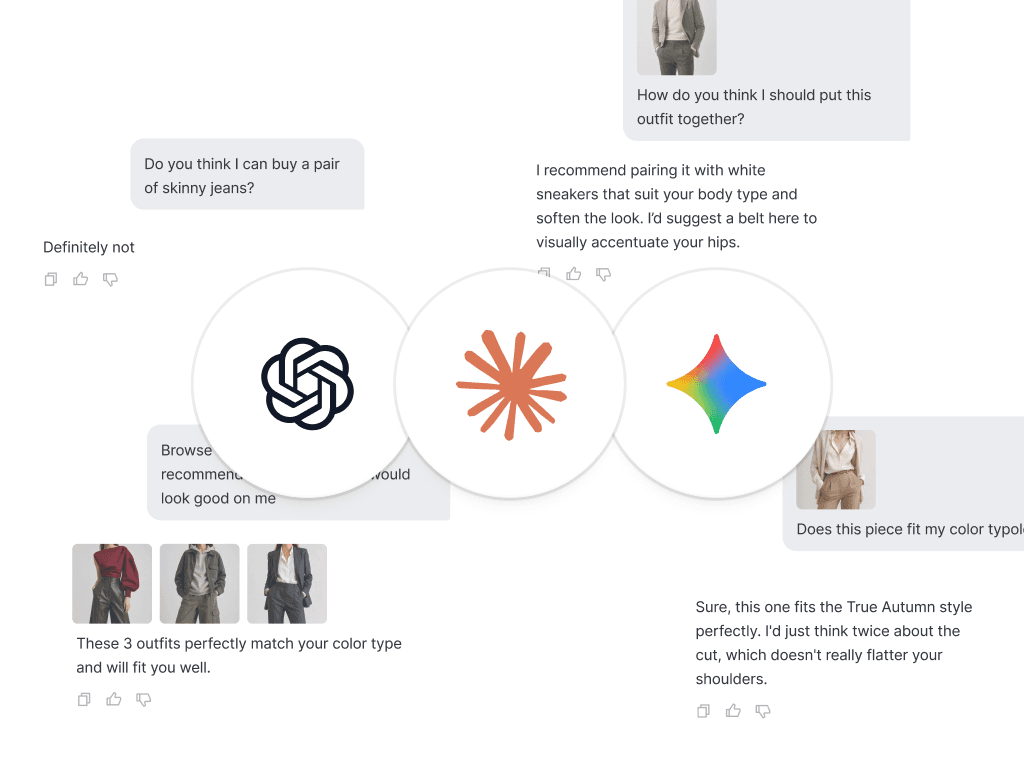
AI chatbots give famously generic style advice. Ask ChatGPT what to wear and you get a horoscope: "a well-fitted blazer is versatile." Thanks.
The problem is not the AI. It is that the AI knows nothing about you. Fix that with one small file and the advice flips from horoscope to weirdly specific. The effect shows with a plain prompt too: in a 2023 test, the French brand Bonne Gueule got vague, general answers from ChatGPT 3.5 until it gave the model its body shape, height, eye color and skin tone. Its conclusion was that the relevance of the answers depends on the information the model is given beforehand.
The missing ingredient: a machine-readable you
Every Wearly Labs analysis comes with a Markdown (.md) profile. You download it from your analysis page, under Connect to AI (Download .md, or Copy to paste the text). It is a plain text file that contains your style as data:
- Your color season, with a verdict on all 50 colors: Wear, Depends (below the waist or as an accent only) or Skip, each with its reason.
- Your best white, your version of black, your metal.
- Your body shape and line, and a map of cuts: what works, what works with a condition, what to leave on the rack. Materials and patterns are sorted the same way.
- Combinations that always work, and the Skip lists (Not your colors, Cuts to avoid) that serve as your hard no's.
- A short block at the top that tells the assistant how to read all of it.
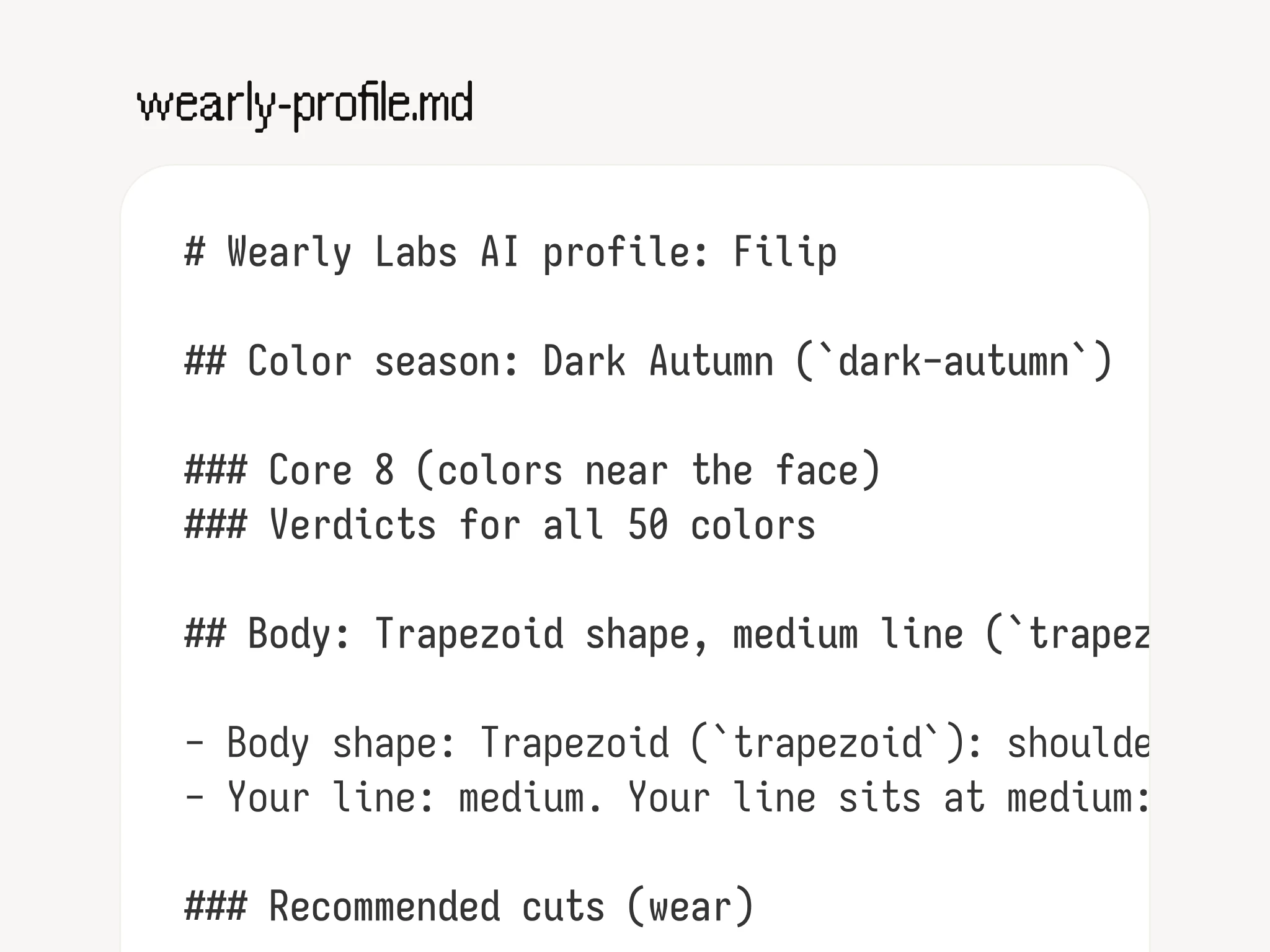
Markdown matters because it is plain text with structure. Headings and lists survive a paste into any chat, and the assistant reads your verdicts as text instead of a screenshot to squint at. The prompting guide for OpenAI's GPT-4.1 recommends Markdown titles to organize a prompt and says the model is trained to understand structure in a variety of formats. The file works in whatever assistant you already use, and it keeps working if you switch.
What your assistant reads: a verdict and a reason
The file does not say "you suit warm colors." It gives the assistant a verdict and a reason for every piece, so every answer can carry the reason with it. Here is how that looks in the sample analysis, the real result of our co-founder Filip Poláček: Deep Autumn, which Wearly Labs calls Dark Autumn, with a Trapezoid shape and a medium line.
| Color or cut | Verdict | The reason the assistant has |
|---|---|---|
| Ivory | Wear | A warm, soft neutral that gives your darker colors somewhere to rest. |
| Pure white | Depends: below the waist only | Clean and bright, but with none of the warmth your face needs. |
| Khaki | Depends: below the waist only | Too soft in depth for your face, it settles fine on the lower body. |
| Tomato red | Depends: as an accent only | A small dose carries real saturation, a whole garment would shout. |
| Coral | Skip | Too light to hold its own against how deep you run. |
| Long overshirt reaching mid-thigh | Wear | Its length works with your proportions, so the front hangs straight and even. |
| Boxy overshirt | Skip | So much spare cloth in the chest pockets and body that your own shape vanishes. |
Depends tells you where a color goes. In the sample, pure white goes on trousers and shoes, not at the collar, and tomato red goes on a scarf, belt, bag or shoes. A generic chatbot does not know that, which is why the starter prompt below asks for the placement every time.
The sample also carries tests you can run in a shop, and the assistant has them too. For color: hold the piece against your skin in daylight, and if it still looks rich and warm rather than washed out, it is yours to take home. For cuts: in trousers, look for a mid rise that sits just below the navel, and let tops end past the hip bone rather than at the belt. Those tests are Filip's. Yours follow from your own season, shape and line.
Set it up once, use it in every chat
Do this once and every later chat starts with your profile. The three assistants keep a file in different places (checked October 2026):
| Assistant | Where the file lives | Good to know |
|---|---|---|
| ChatGPT | A Project called "My Style", with the .md file added as a source. Every chat inside the project knows your profile. | Put the standing instruction in the project settings. Step by step: add your profile to ChatGPT. |
| Claude | A Project: new Project, the file added to its knowledge, the instruction in its project instructions. | Anthropic says Projects are available to all users, free accounts included, with up to five projects on a free account. Step by step: add your profile to Claude. |
| Gemini | Attach the file to a chat, or save it in a Gem: new Gem, the instruction, the file under Knowledge. | Google is moving Gems on personal accounts to skills in November 2026 and says existing Gems transition automatically. A skill takes the file as a reference file, and .md is on its supported list. Step by step: add your profile to Gemini. |
| No Projects in your app | Attach the file at the start of a chat. | Thirty seconds instead of five seconds, and you repeat it in every new chat. |
Then paste this starter prompt, as the instruction or as your first message:
This is my personal style profile from Wearly Labs. Act as my personal shopping
assistant. Whenever I share a product, a photo, or ask what to buy, check it
against my color verdicts, my shape and line, and my cuts, materials and
patterns. Answer with Wear, Depends or Skip first, then the reason in one or
two sentences. Wear means it is under "Wear anywhere" or "Recommended cuts".
Depends means it is under "Yours, but only where the line says" or
"Recommended with a condition", and you name the placement or condition: below
the waist, as an accent, in a longer cut. Skip means it is under "Not your
colors", "Cuts to avoid" or "Patterns to avoid", or a material marked ⛔. For a
Skip, suggest a better alternative from my profile, and never suggest anything
from those lists.
Test it before you trust it. Ask something you can check on your own page: What is my best white, and what do I wear instead of black? In the sample analysis the answers are ivory and espresso. A paragraph about black going with everything means the file is not being read, so check that it sits in the Project or Gem and not in one earlier chat.
If an upload is refused, mind the extension. Anthropic's list of files Claude takes names TXT and does not name .md. Rename the file to .txt, or press Copy on your page and paste the text. The content is the same.
Five prompts that earn their keep
- The link check. Paste any product link or screenshot: "Does this work for me?" You get a verdict against your palette and cuts, with reasons, not vibes. Follow up with "Why?" and the reason from your profile comes back.
- The fitting room. "I'm in Zara right now. Photo attached, what should I grab?" Works surprisingly well from a messy changing-room mirror shot of the rack. Shop light and phone cameras shift colors, so for color go by the name on the label and the daylight test above.
- The capsule pack. "Five pieces for a week in Lisbon in June, from my palette, mix and match."
- The closet audit. Photograph a shelf: "Which of these earn their place, which don't, and why?" Brace yourself.
- The gift decoder. Attach someone else's profile: "A birthday sweater for her, under 100 euro, three options." Ask her first: the file describes her body as well as her colors.
What it will not do
Honesty round. The assistant cannot see how a specific garment sits on your specific body from a product photo, so treat fit as a question for the fitting room. It does not know your size either: chest, waist and inseam are not in the file, because the questionnaire does not ask for them. Add them if you want sizing help.
And it only knows what is in the profile. If rust is one of your core colors, the assistant will keep reaching for rust until you tell it you already own four rust things and ask it to rotate. It is a very keen assistant. When an answer contradicts your page, trust your page: it holds the verdict and the reason.
The quiet part: no lock-in
Some style apps keep the AI stylist inside the app and bill monthly for it. Acloset's App Store listing, for one, shows subscriptions from $3.99 to $24.99 a month (as of October 2026), and our roundup of AI color analysis tools covers the others. The .md profile is the other bet. It is your file: you download it from your page, you can read and edit every line, it works in any AI, and it does not need us after purchase. We would rather be the analysis you buy once than the app you forget to cancel.
FAQ
The one you already use. Use whichever you already pay for or the free tier you like: the profile does the heavy lifting, not the model. What differs is where each assistant keeps the file between chats, and the table above shows that.
You can, and the Bonne Gueule test above shows that detail helps. A file adds what is tedious to retype: a verdict and a reason for each of 50 colors, your cuts with their conditions, and the placement for every Depends. It also stays in your Project, so you set it up once.
Yes, it is plain text. Add "no wool, it itches", your sizes or a brand you buy often. Your edits become part of every future answer once the new file replaces the old one in your Project.
Not reliably, so test it once. Google's help page says Gems can't be used with Gemini Live (as of October 2026), and Anthropic's voice mode page does not say whether voice reads Project files. Ask out loud "What is my best white?" and see whether the answer comes from your profile. If it does not, type or dictate your question in a normal chat that has the file attached.
Only text, and no photos. The file holds the name you gave, your verdicts and reasons, your cuts, and the body details you entered, such as height and weight. Photos are deleted about 15 minutes after the analysis, always within 24 hours, and never used for training. Once you attach the file, it sits in that assistant's chat history under that app's data settings. It is plain text, so you can read every line before you attach it.