You add your Wearly Labs AI profile to Grok by attaching the .md file to a chat with the + beside the message box and putting one instruction above your question. It takes about a minute on grok.com or in the Grok app, and it needs an account, not a paid plan. xAI's own help page lists Markdown among the files a Grok chat accepts, so the file goes in as it is.
On this page
Your analysis is a page, and on it is your AI profile: a Markdown file holding your color season, the verdict on all fifty colors, your body shape and line, the cuts that work and the ones that do not. Markdown is plain text, which is why one file works in every assistant you use.
Before you start
Open your analysis page and go to Connect to AI. Press Download .md. The file lands in your downloads named after your season, for example wearly-dark-autumn.md.
Then open Grok where you will use it: grok.com in a browser, or the Grok app on your phone, signed in. The Grok tab inside the X app is a different door, and the FAQ below says why this guide does not use it.
The sample analysis is the real result of co-founder Filip Poláček, a Dark Autumn. Its file is 29 KB of plain text, and it opens with rules for the assistant that reads it: never suggest a color from Not your colors, always say where a color goes, and ask for a size instead of guessing one.
Step 1: attach the file
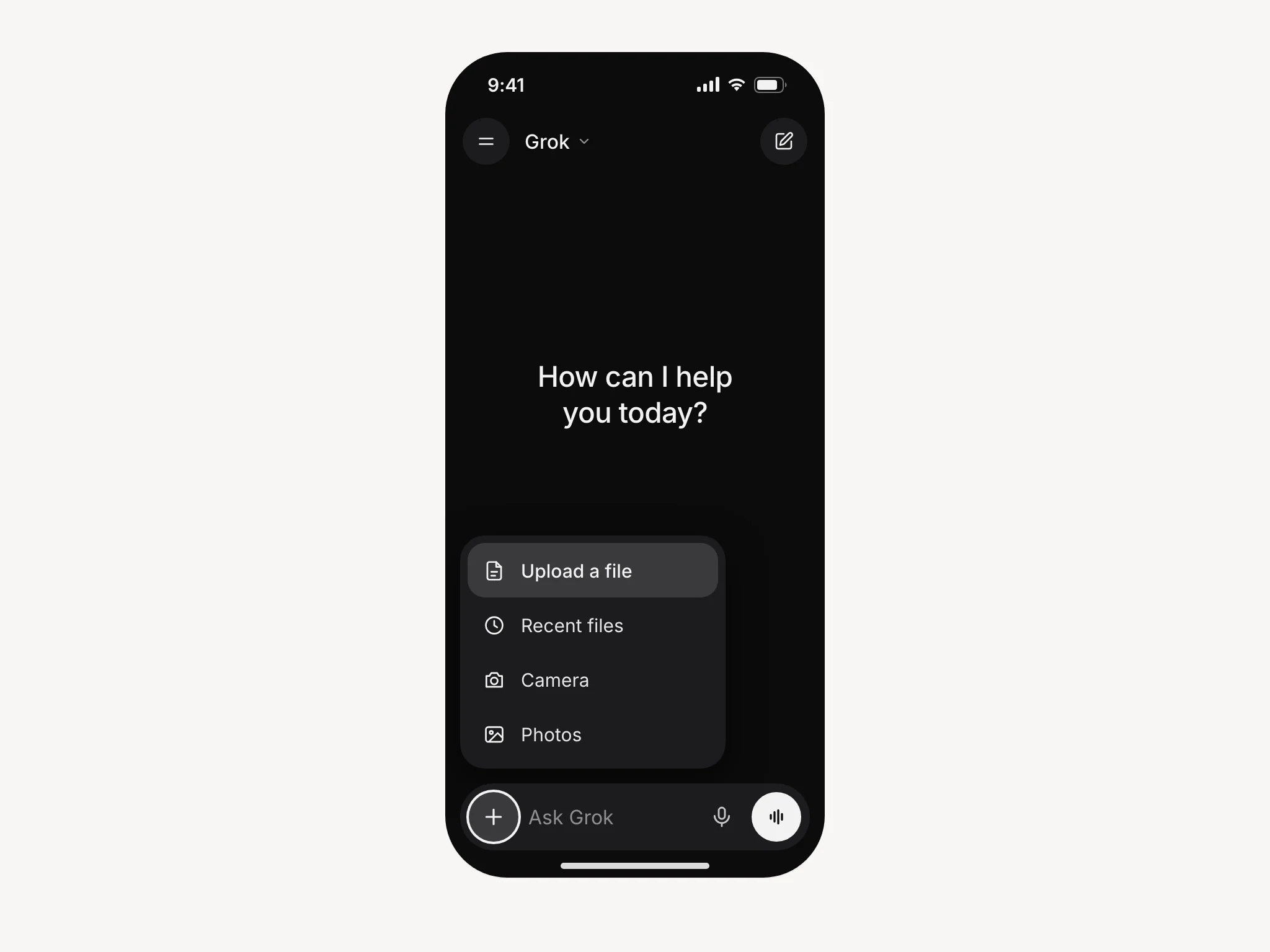
Press the + beside the message box. On grok.com choose to upload a file, or drag the file straight onto the chat; on a phone the + opens your files. Pick wearly-dark-autumn.md, and it appears above the message box with its name on it.
xAI's FAQ puts the limit at 150 MB a file, and the profile is thousands of times smaller, so size is never the problem. If the file shows above the box, it is attached. The test further down tells you whether Grok is using it.
Step 2: ask, with the instruction in the same message
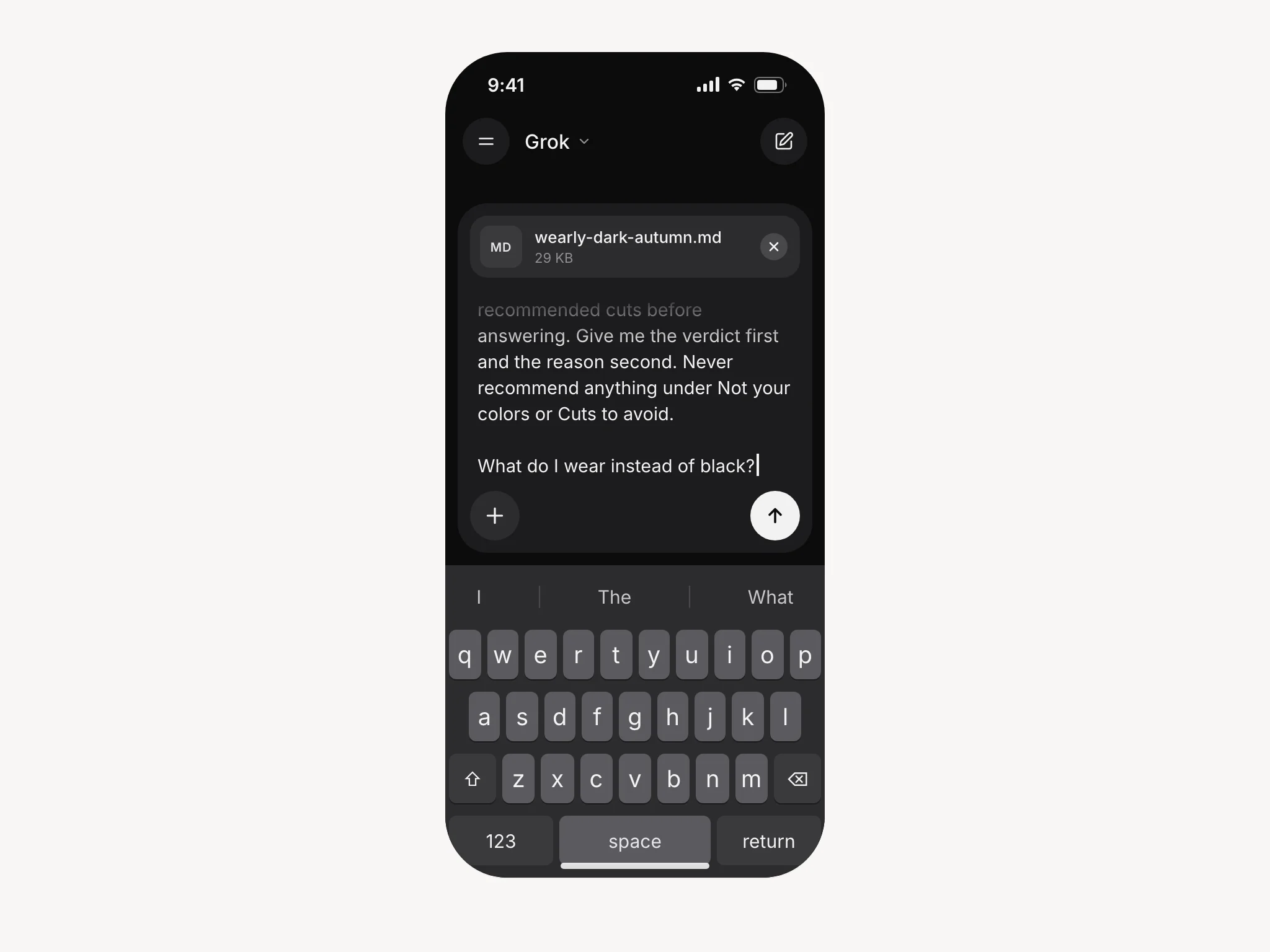
Type your question, and the first time, put the job in front of it:
Act as my shopping and styling assistant. My personal style profile is attached. Check anything I ask about against my color palette, my body shape and line, and my recommended cuts before answering. Give me the verdict first and the reason second, in one or two sentences. If something does not work, name a specific alternative that does. Never recommend anything under Not your colors or Cuts to avoid.
Not your colors and Cuts to avoid are headings in your file, the Skip side of the verdicts. The file already carries its own rules for the assistant, so your message only adds the shape of the answer you want.
Then your actual question under it. From the second message on you can drop the instruction; the conversation keeps the file in view until it grows long (see Troubleshooting).
Want it in every chat? A Project
A file attached to a chat stays with that chat, and a new chat starts empty. If you use Grok every day, grok.com can hold the file for you in a Project: create one under Projects in the sidebar, add the profile to it, and grok.com adds the project's files to every conversation you start inside it.
We still lead with the plain chat, for a reason. As of October 2026, xAI's help pages mention Projects in one line, noting that people who open Grok at an address other than grok.com can find Projects missing. They do not say which plans include them or whether the phone apps show them. A chat works on every plan and every device, and a Project is the upgrade once you know you will keep using it.
Grok also has a Customize setting in its settings, for how it should answer in every new conversation. It suits the instruction from Step 2. It does not suit the profile, which is a 29 KB file and belongs where files go.
| Way | Lasts for | What you do | Worth knowing |
|---|---|---|---|
| Attach to a chat | That chat | Steps 1 and 2 above | A new chat starts empty, so you attach the file again |
| A Project on grok.com | Every chat in that project | Create a Project, add the file to it | xAI does not yet document which plans and apps have Projects |
| Paste with Copy | That message | Press Copy on Connect to AI and paste the profile above your question | The fallback when the file will not attach |
Test it before you trust it
Ask something you can already check:
What are my three best colors, and what do I wear instead of black?
You want names out of your own palette and your profile's own answer for black. A general paragraph about black going with everything means the file did not attach. Look above the message box.
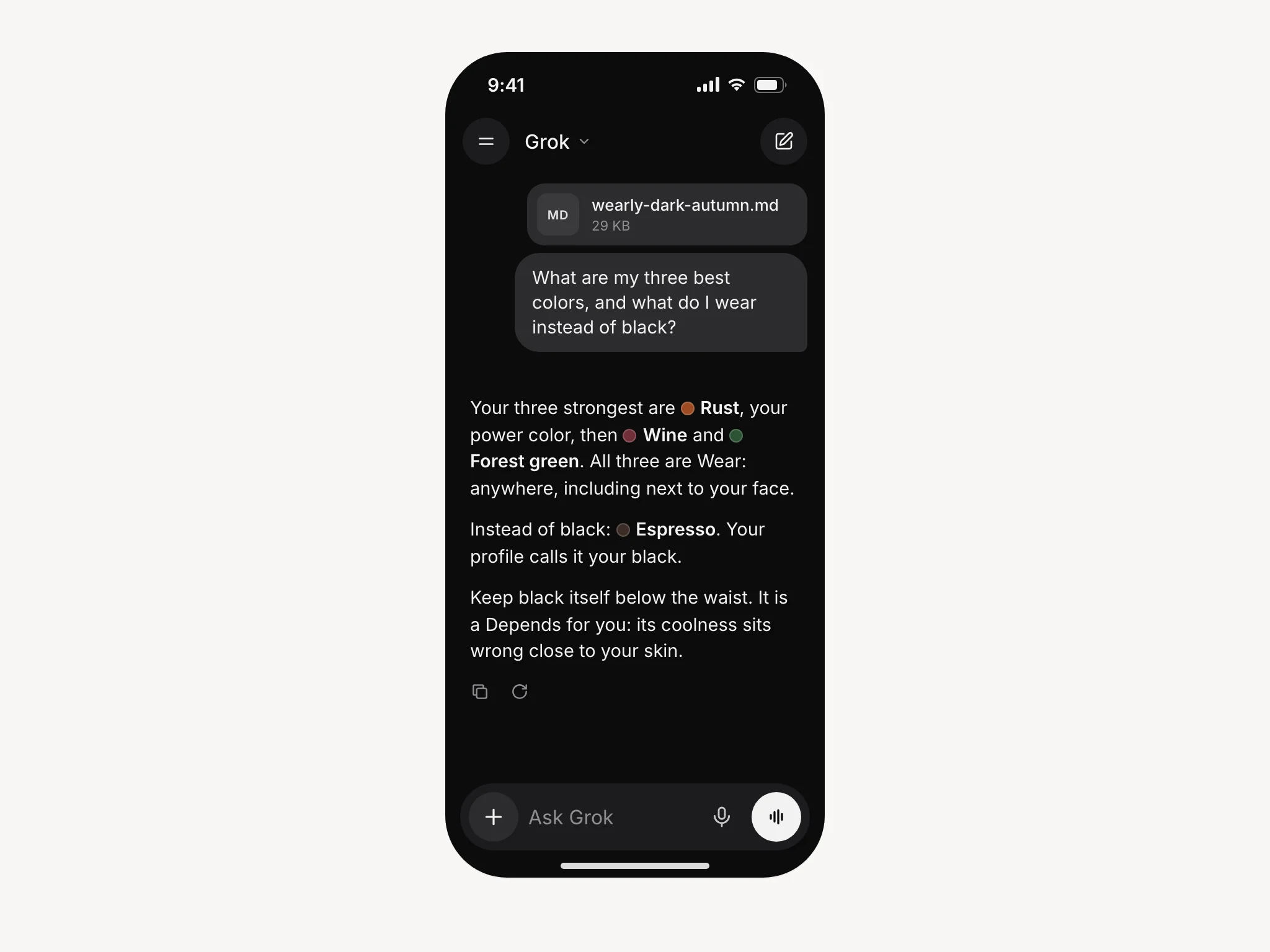
A right answer has three parts: a verdict, a placement and a reason. Wear means anywhere, including next to the face. Depends means below the waist or as an accent only. Skip means not yours. Here are those parts in the sample analysis, a Dark Autumn. Your answers will differ, but they should have the same parts:
| You ask | A right answer for the sample | The reason in his file |
|---|---|---|
| What do I wear instead of black? | Espresso, a Wear. Black stays below the waist, a Depends. | "Espresso is your black." Black: "its coolness sits wrong close to your skin." |
| Is navy right for me? | It depends which navy. Midnight blue is a Wear, soft navy a Depends (accent only), royal blue a Skip. | Midnight blue: "its weight and quiet tone match the depth you carry." Royal blue: "It cools your skin down." |
| What about a mint shirt? | Skip. | "It has too little depth to register against your coloring." |
| What about a boxy oversized t-shirt? | Skip. | "Dropped shoulders and a boxy body bury your own outline under loose fabric." |
What to ask once it works
- The link check. Paste a product page. "Verdict, and why." The answer should be Wear, Depends or Skip, with the reason from your file.
- The rack. A photo from inside a shop. "Anything here in my palette?" Shop lighting shifts color in a photo, so for a close call hold the piece against your skin in daylight. The sample analysis puts the test this way for a Dark Autumn: it is yours if it still looks rich and warm rather than washed out.
- The pack. "Four days in Lisbon in October, from my palette, carry-on only."
- The swap. "I am about to buy this navy coat. Is navy right for me, or is there a better answer in my palette?" The right answer names which navy, as in the table above.
Keeping it in reach
The one cost of attaching the file to a chat is that you attach it each time, because a chat remembers the file and a new chat does not. Two things make that painless.
Put the file somewhere your phone can reach in two taps, such as your files app or the cloud drive you already use. grok.com also keeps what you have uploaded: xAI's FAQ sends you to grok.com/files to see and delete your uploads.
And edit it when your life changes. It is plain text: add your sizes, add a brand you buy often, add the thing you will never wear whatever the analysis says. Your edits become part of every answer from the next attachment on.
Troubleshooting
The answers are generic. Look above the message box. No file there, no profile, and Grok is answering from nothing but your question.
It forgot halfway through a long conversation. Say "check my profile again". If that does not work, start a fresh chat and attach the file again. Long conversations drift in every assistant. xAI does not publish how much of a conversation the Grok app keeps in view, and its FAQ says only that very long files may be summarized or handled in sections. A 29 KB profile is not a very long file, so what runs out is the conversation, not the file.
Grok says it cannot open the file. Rename it to end in .txt and attach it again; TXT is on the same list, and the text inside does not change. Failing that, use Copy on the Connect to AI screen and paste the profile straight into the message.
I want it to remember me without the file. grok.com has a memory setting that lets Grok draw on your earlier conversations, though xAI has no help page for it yet and it may not be offered in every country. It is the right place for a line like "I never wear wool". It is not reliable enough yet to bet a wardrobe on, and the file is the version that works every time.
The AI profile: common questions
No. xAI's FAQ describes attaching files for any chat and names no plan for it, and on grok.com you only need to be signed in. A paid plan raises how much you can use Grok: since October 12, 2026 xAI sells its plans as The X Subscription, from Plus to Ultra, and the free tier keeps daily access to Grok. The profile is doing most of the work either way.
Yes, it is plain text. xAI's FAQ lists MD (Markdown) and TXT among the files a chat accepts, and its developer documentation lists Markdown files as well. If the file still will not attach, rename it to .txt or paste it with Copy.
This guide does not go there. X's help page on Grok explains how to open Grok inside X and does not describe attaching a document, while xAI's FAQ documents file uploads for grok.com and the Grok apps for iOS and Android. Use one of those and the steps above hold.
Whichever you already use. The profile does the work. Claude has the tidiest permanent setup (the Claude guide), ChatGPT sits in the middle (the ChatGPT guide), and Gemini (the Gemini guide) and Grok take the file the same quick way, straight into a chat.
Your season and the verdict on fifty colors, each with its reason, your body shape and line, the cuts to wear, to wear with a condition and to avoid, materials and patterns, five combinations that always work, and your own answers, including body details such as the height and weight you entered. Every color has its name, followed by its color code. No photos, and nothing you did not give us. How the AI profile works.